Python Basics for DevOps
60 Days DevOps Challenge: Day 5
🔥 Challenges
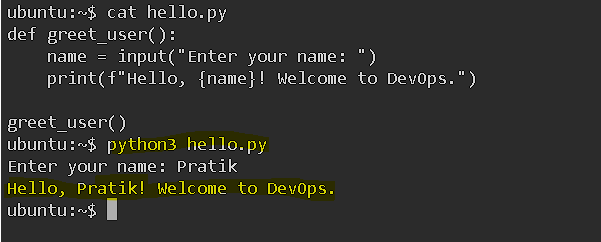
🔹 Challenge 1: Create a Python program that accepts a user’s name as input and prints a greeting message.
def greet_user():
    name = input("Enter your name: ")
    print(f"Hello, {name}! Welcome to DevOps.")

greet_user()
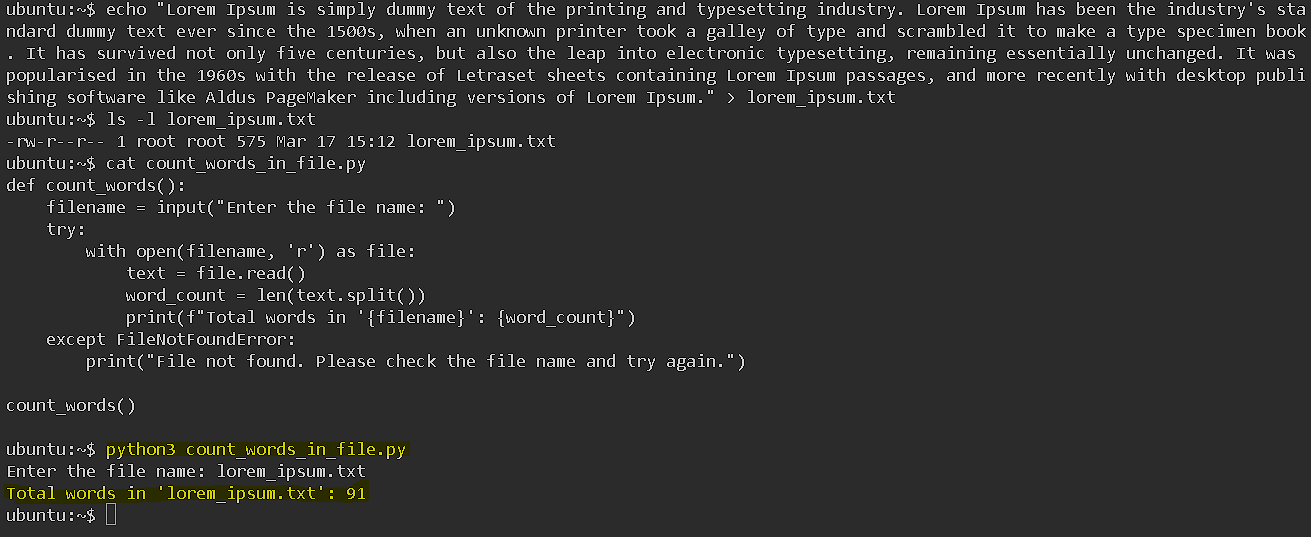
🔹 Challenge 2: Write a script that reads a text file and counts the number of words in it.
def count_words():
    filename = input("Enter the file name: ")
    try:
        with open(filename, 'r') as file:
            text = file.read()
            word_count = len(text.split())
            print(f"Total words in '{filename}': {word_count}")
    except FileNotFoundError:
        print("File not found. Please check the file name and try again.")

count_words()
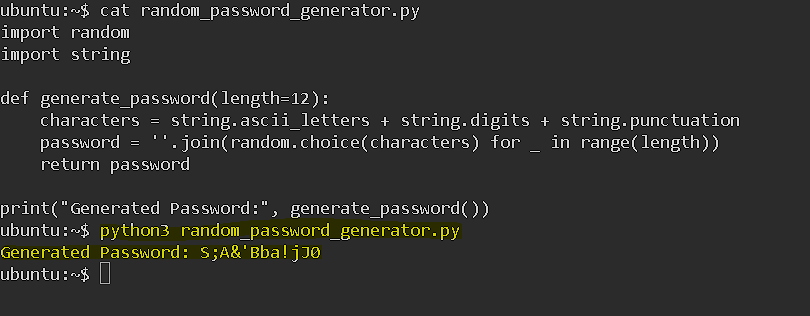
🔹 Challenge 3: Create a Python script that generates a random password of 12 characters.
import random
import string

def generate_password(length=12):
    characters = string.ascii_letters + string.digits + string.punctuation
    password = ''.join(random.choice(characters) for _ in range(length))
    return password

print("Generated Password:", generate_password())
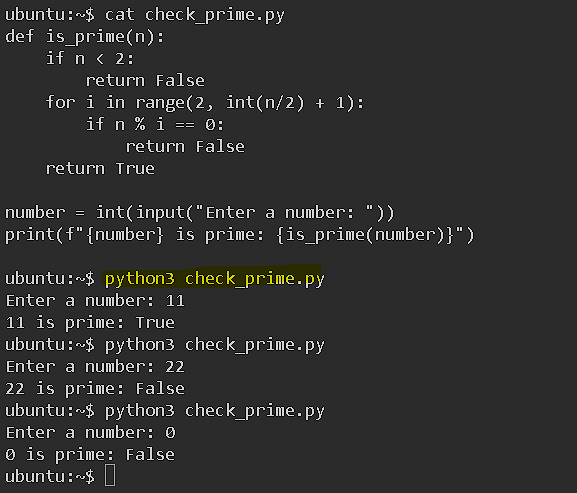
🔹 Challenge 4: Implement a Python program that checks if a number is prime.
def is_prime(n):
    if n < 2:
        return False
    for i in range(2, int(n/2) + 1):
        if n % i == 0:
            return False
    return True

number = int(input("Enter a number: "))
print(f"{number} is prime: {is_prime(number)}")
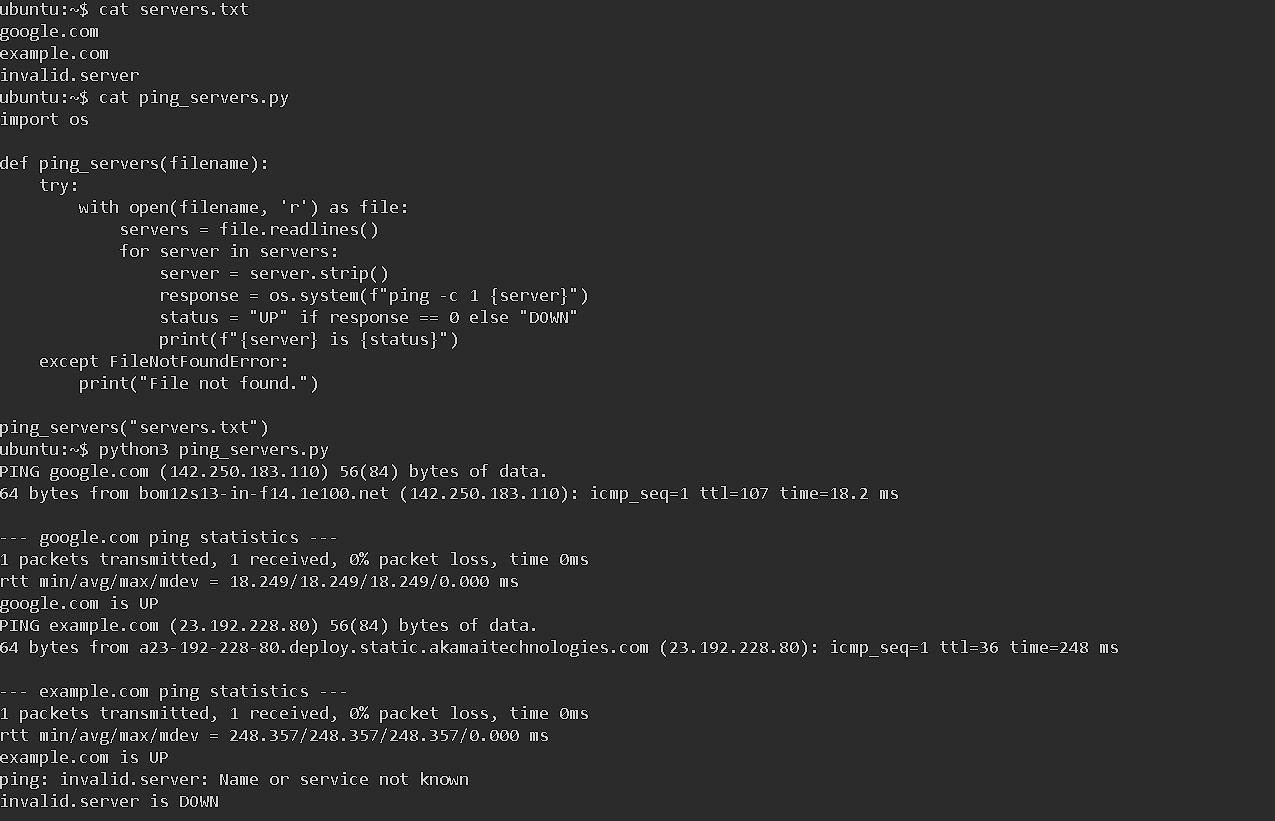
🔹 Challenge 5: Write a script that reads a list of server names from a file and pings each one.
Step 1: Create the Server List File (servers.txt)
echo -e "google.com\nexample.com\ninvalid.server" > servers.txt
This file contains:
google.com
example.com
invalid.server
import os

def ping_servers(filename):
    try:
        with open(filename, 'r') as file:
            servers = file.readlines()
            for server in servers:
                server = server.strip()
                response = os.system(f"ping -c 1 {server}")
                status = "UP" if response == 0 else "DOWN"
                print(f"{server} is {status}")
    except FileNotFoundError:
        print("File not found.")

ping_servers("servers.txt")
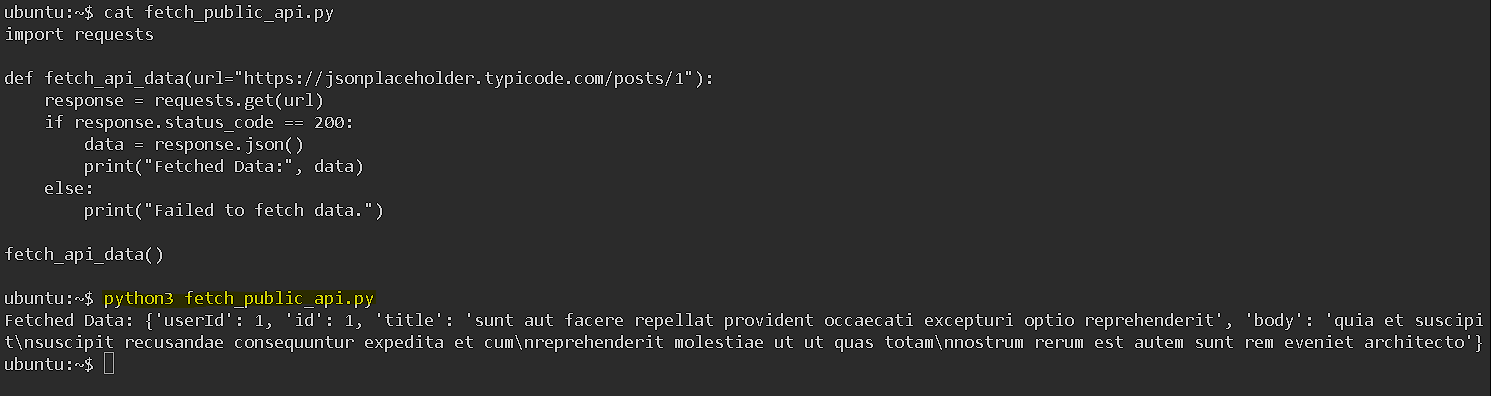
🔹 Challenge 6: Use the requests module to fetch and display data from a public API (e.g., JSONPlaceholder).
import requests

def fetch_api_data(url="https://jsonplaceholder.typicode.com/posts/1"):
    response = requests.get(url)
    if response.status_code == 200:
        data = response.json()
        print("Fetched Data:", data)
    else:
        print("Failed to fetch data.")

fetch_api_data()
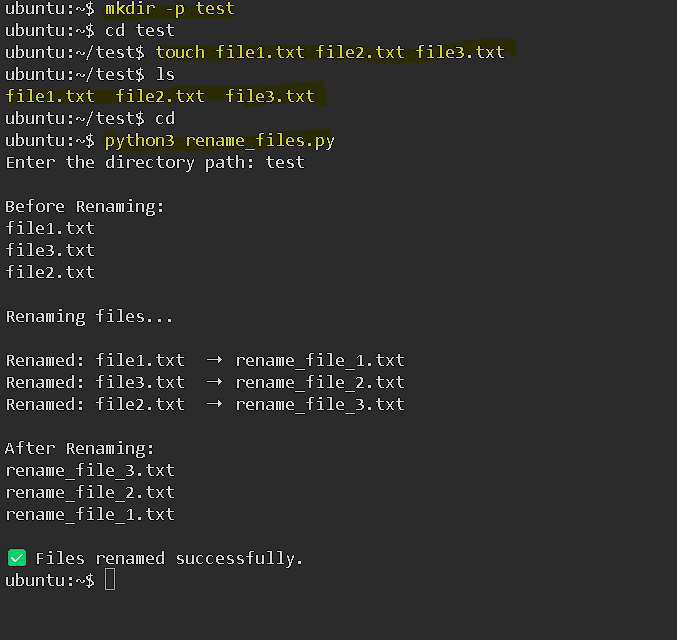
🔹 Challenge 7: Automate a simple task using Python (e.g., renaming multiple files in a directory).
import os

def rename_files(directory, prefix="rename_file"):
    try:
        files = os.listdir(directory)
        if not files:
            print("No files found in the directory.")
            return

        print("\nBefore Renaming:")
        for file in files:
            print(file)

        print("\nRenaming files...\n")
        for index, file in enumerate(files, start=1):
            old_path = os.path.join(directory, file)
            new_name = f"{prefix}_{index}.txt"
            new_path = os.path.join(directory, new_name)

            os.rename(old_path, new_path)
            print(f"Renamed: {file}  ➝  {new_name}")

        print("\nAfter Renaming:")
        for file in os.listdir(directory):
            print(file)

        print("\n✅ Files renamed successfully.")

    except FileNotFoundError:
        print("❌ Directory not found. Please check the path.")

# Get directory path from the user
dir_path = input("Enter the directory path: ")
rename_files(dir_path)
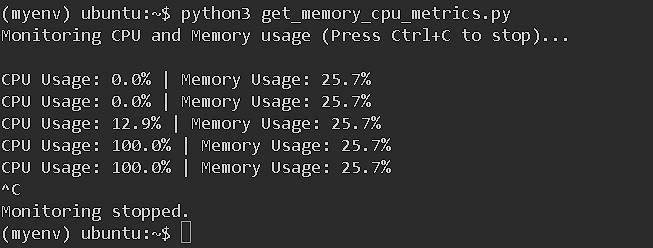
🔹 Challenge 8: Create a Python script that monitors CPU and memory usage every 5 seconds.
Step 1: Install psutil (If Not Installed)
pip install psutil
Step 2: Create the Python Script (get_memory_cpu_metrics.py)
import psutil
import time

def monitor_system():
    print("Monitoring CPU and Memory usage (Press Ctrl+C to stop)...\n")

    try:
        while True:
            cpu_usage = psutil.cpu_percent(interval=1)
            memory_info = psutil.virtual_memory()
            memory_usage = memory_info.percent

            print(f"CPU Usage: {cpu_usage}% | Memory Usage: {memory_usage}%")
            time.sleep(5)  # Wait for 5 seconds before the next reading

    except KeyboardInterrupt:
        print("\nMonitoring stopped.")

if __name__ == "__main__":
    monitor_system()
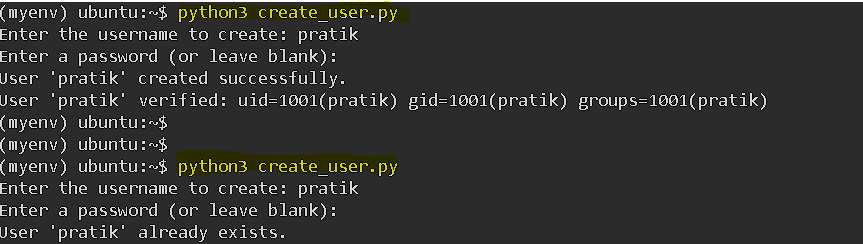
🔹 Challenge 9: Write a Python program that creates a user in Linux using subprocess and verifies the creation.
import subprocess

def create_user(username, password=None):
    try:
        # Check if the user already exists
        check_user = subprocess.run(["id", username], capture_output=True, text=True)
        if check_user.returncode == 0:
            print(f"User '{username}' already exists.")
            return

        # Create the new user (without home directory)
        subprocess.run(["sudo", "useradd", "-m", username], check=True)
        print(f"User '{username}' created successfully.")

        # Set password (optional)
        if password:
            subprocess.run(["echo", f"{username}:{password}"], text=True, check=True)
            subprocess.run(["sudo", "chpasswd"], input=f"{username}:{password}", text=True, check=True)
            print("Password set successfully.")

        # Verify user creation
        verify_user = subprocess.run(["id", username], capture_output=True, text=True)
        if verify_user.returncode == 0:
            print(f"User '{username}' verified: {verify_user.stdout.strip()}")
        else:
            print(f"Failed to verify user '{username}'.")

    except subprocess.CalledProcessError as e:
        print(f"Error: {e}")

if __name__ == "__main__":
    username = input("Enter the username to create: ")
    password = input("Enter a password (or leave blank): ").strip()
    create_user(username, password if password else None)
📌 Key Takeaways from Challenges
✅ User Input & Output – Use input() & f-strings.
✅ File Handling – Read/write files, handle errors.
✅ Password Generation – Use random for secure passwords.
✅ Prime Check – Optimize loops for efficiency.
✅ Server Monitoring – Ping servers & check status.
✅ API Requests – Fetch & process JSON data.
✅ File Automation – Rename multiple files dynamically.
✅ System Monitoring – Track CPU & memory with psutil.
✅ User Management – Create & verify Linux users via subprocess.
💡 Python + Automation = DevOps Superpower! 🚀
Comments
Join the discussionNo comments yet. Be the first to comment.